
Two-way AI chat translation
Understand messages in different languages during conversations and compose replies in your preferred language for smoother communication.

Traneasy Translation
A communication workspace for cross-border teams, integrating instant translation, customer organization, and multi-account collaboration to make communication and follow-up easier
Supports WhatsApp, Telegram and other major platforms














Understand messages in different languages during conversations and compose replies in your preferred language for smoother communication.

Arrange apps and accounts in a unified interface, combining environment settings and permission assignment to keep team collaboration more organized.

Use customer tags, communication records, and quick replies to organize daily follow-ups, keeping important leads clear and traceable.
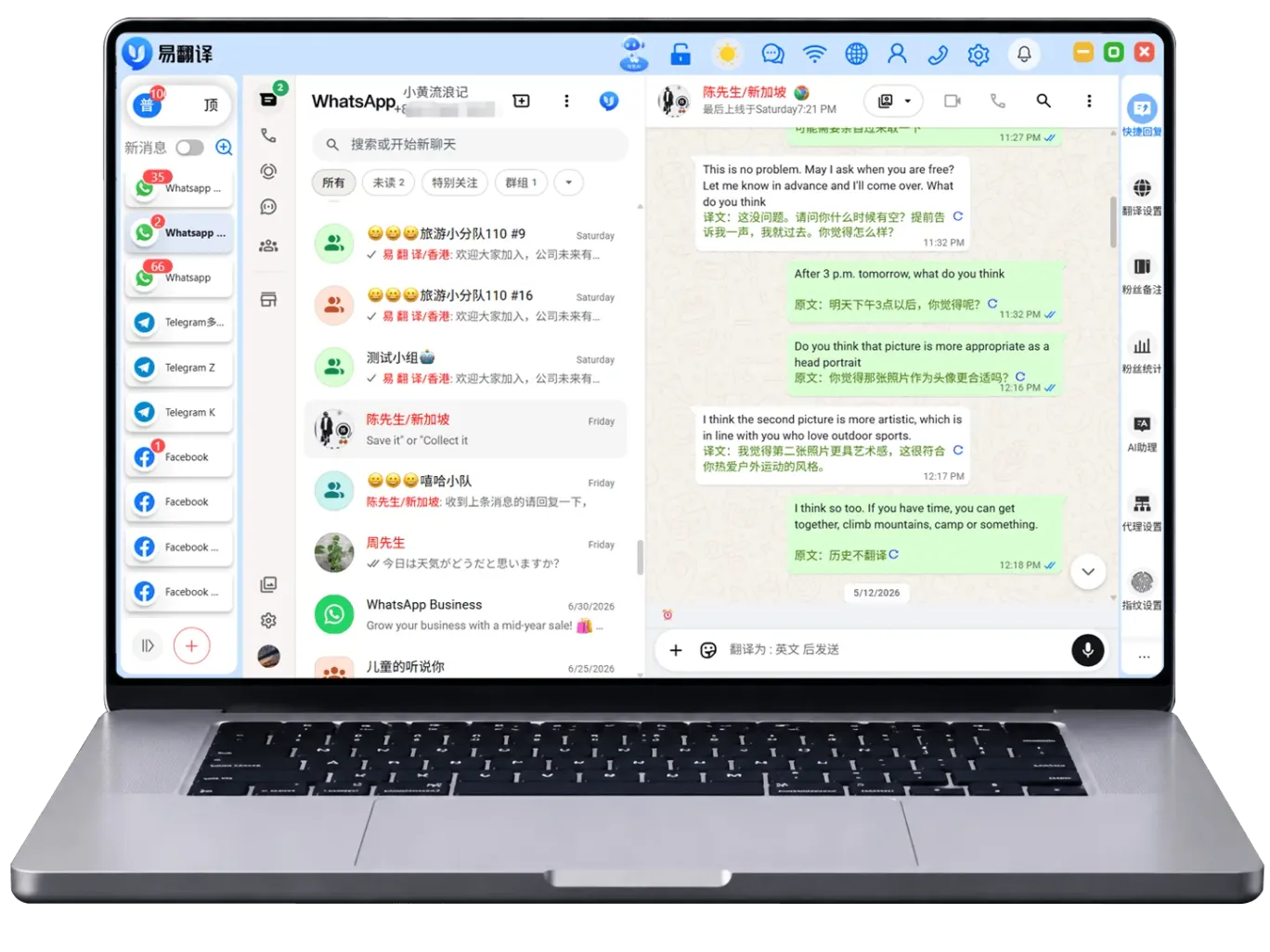
Understand received foreign-language messages, then compose replies in a familiar language, placing translation and communication in a coherent workflow.
Organize contacts using tags and message content, clearly arranging follow-ups and frequently used information.
Organize common expressions and explanatory content, and quickly access them when needed to make everyday replies more convenient.
Use language assistance according to the content types supported by the app to clearly understand text and communication materials.
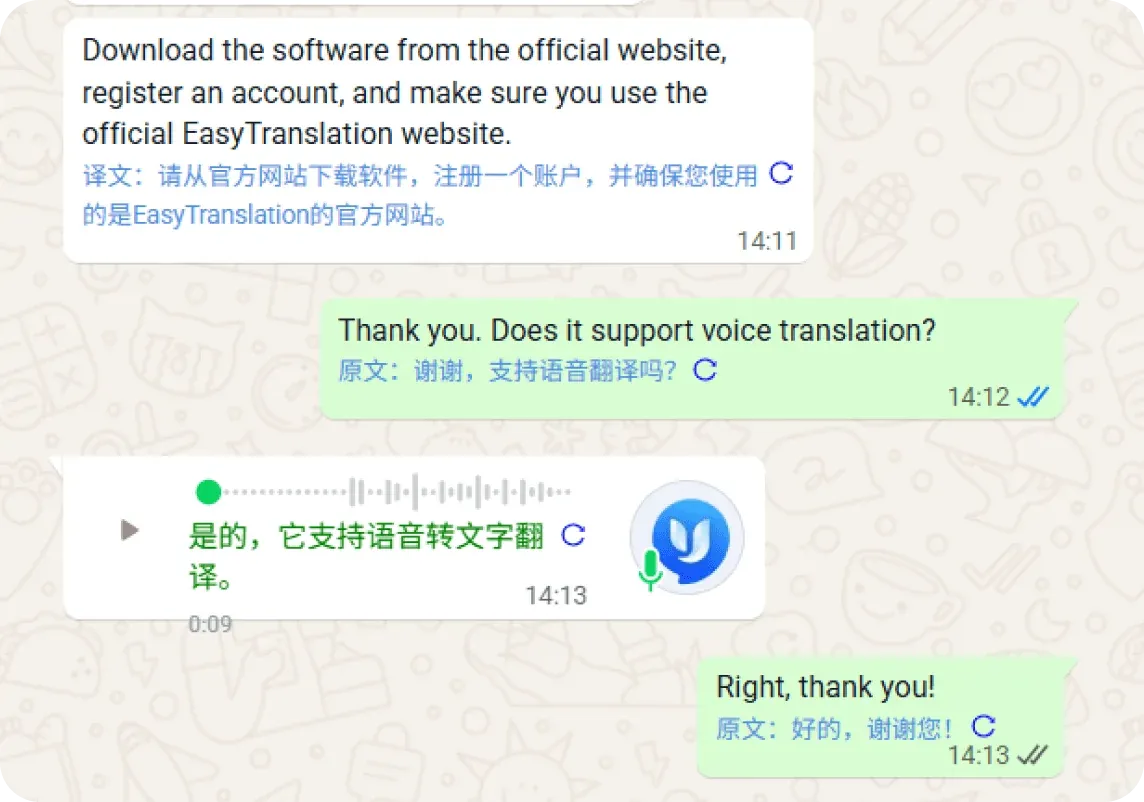
Organize accounts and environments for different work scenarios, set access scopes as needed, and make team division of work easier.
Configure connections according to the network settings instructions in the app, keeping the work environment and account arrangement clear and consistent.
View multiple work entries in a familiar interface, reducing the steps of repeatedly searching and switching between devices.
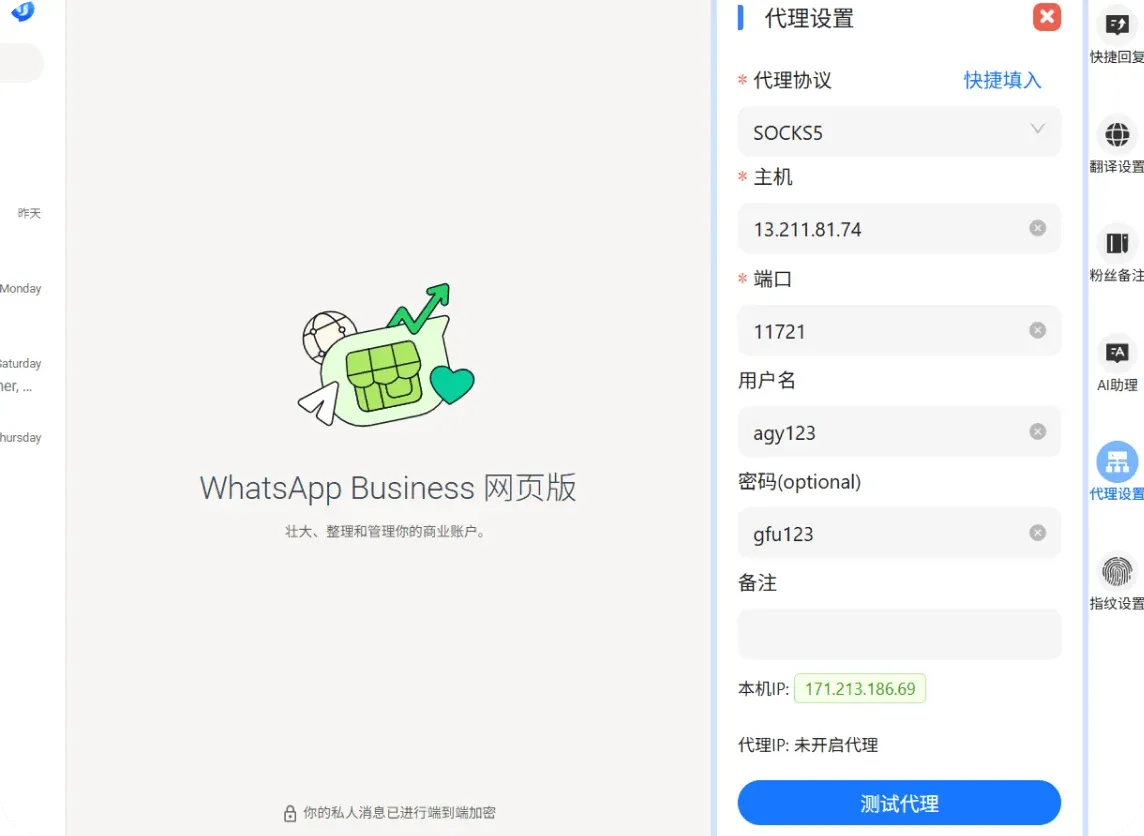
Arrange tags by region, needs, and communication stage to easily distinguish different types of contacts.
Find clients by notes and tags, quickly return to relevant conversations, and continue communication already in progress.
Organize client sources and communication records by channel to prepare clear background information for the next step.
View existing client information and work records, and adjust daily arrangements and collaboration steps based on current needs.
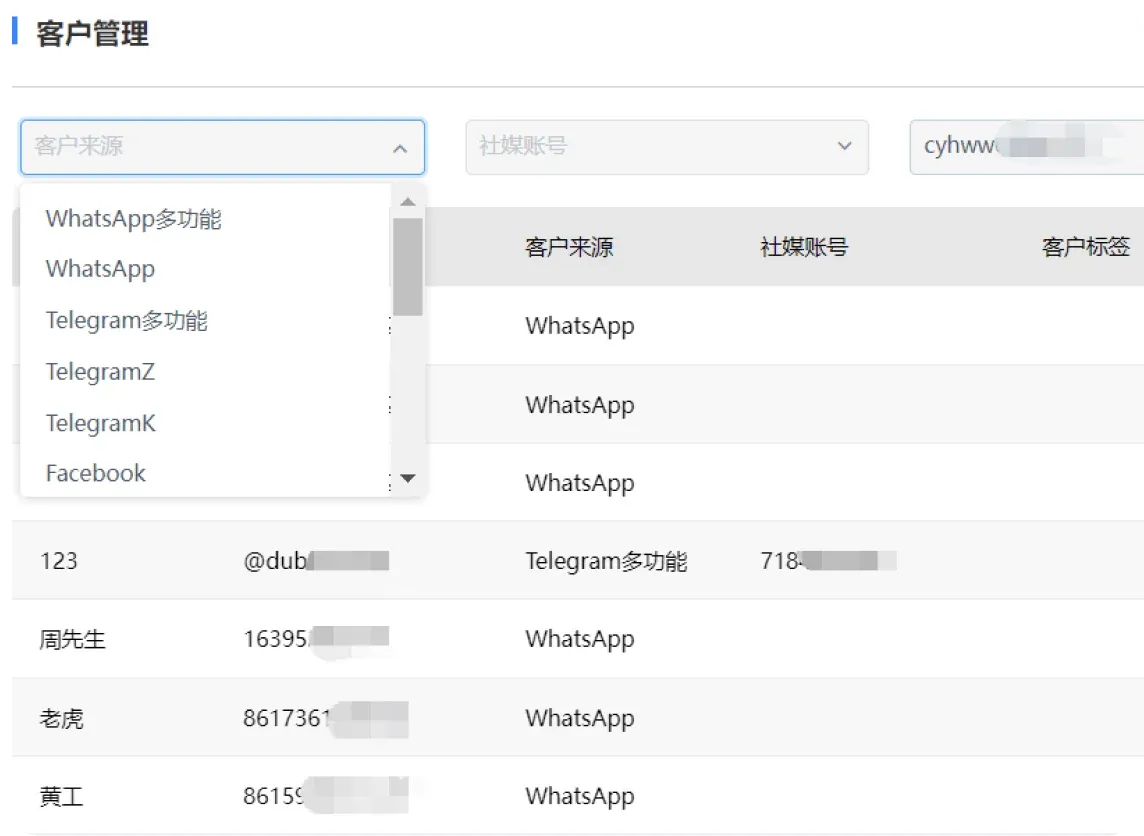
From instant translation to client organization, connect familiar workflows for your team.
Understand messages in different languages and organize replies clearly using common expressions.
Categorize and organize contacts and communication records to give follow-up communication a solid basis.
Connect accounts, environments, and permission settings to facilitate daily task division and handover.
Keep conversations and quick replies in one workspace to reduce repetitive steps.
Select the download option based on your computer's operating system. Windows and macOS use different installation files; after downloading, follow the system prompts to continue.
Open the client and complete the initial setup by following the in-app prompts, then get familiar with the conversation list, app entry points, and language assistance features.
Start with contact notes, tags, and quick replies. Arrange categories according to your own workflow for easy daily reference and follow-up.
Traneasy offers a more focused translation experience for desktop scenarios. No need to repeatedly switch between web pages—open the client to handle word selection, full passages, and common expressions, making it ideal for writing, research, and everyday cross-language communication.
Select text in a document or webpage to instantly view definitions, reducing time spent switching back and forth between windows.
Long sentences and paragraphs maintain semantic coherence, making it suitable for reading foreign-language materials or drafting replies.
Common operations are centralized in the desktop panel, with keyboard and mouse working together more naturally, making it suitable for extended use.
Compatible with mainstream desktop systems; both laptops and desktops can install it. As long as the device has a stable internet connection and can display the Chinese interface properly, it can be used for everyday translation, reference lookup, and text processing.
After installation is complete, open the client and follow the on-screen instructions to enter the main workspace. When using it, select text or paste content to view the results. It is recommended to start with short sentences to become familiar with the different translation modes.